June 18, 2026
10 Minutes to read
New Shopify Features Worth Using in 2026

Recent blogs



share this article


Table Of Content
Section
Shopify ships more than 150 new features every six months, and most merchants use a fraction of them. The useful question is not what is new, it is which of the new Shopify features in 2026 are worth your time to turn on. This guide covers the ones that actually move a store, why they matter, and how to start using each, with a clear note on which are worth prioritizing first.
The theme of 2026 is AI that does the work rather than just suggesting it. Shopify’s Winter 2026 release, which it calls the RenAIssance Edition, pushed its AI assistant from a helper into an agent that executes tasks, and opened the store up to AI shopping platforms like ChatGPT. As a Shopify Platinum Partner, we set these features up for merchants every week, so the recommendations below are about what works in practice, not what looks good in a release note.
Why Shopify’s latest Edition matters in 2026
Shopify releases features in two big batches a year, called Editions, and the current one sets the agenda for what your store can do. TheWinter 2026 Edition shipped over 150 updates, with the headline shift being agentic AI: tools that take action inside your store instead of only answering questions. The Summer 2025 Horizon release laid the groundwork with a new theme system and an AI store builder, and Winter 2026 built the AI layer on top of it.
You do not need to adopt all 150. The value is in picking the handful that match where your store is and turning them on deliberately. A brand still finding its footing needs different features than a $5 million store moving to wholesale, and treating the Edition as a menu rather than a mandate is how you avoid wasting time on tools you will not use.
The new Shopify features worth using in 2026
The features below are the ones we see deliver real results for merchants. Each entry covers what it is, who it is for, and how to start using it.
Sidekick: the AI assistant that now does the work
Sidekick is Shopify’s built-in AI assistant, and in 2026 it can execute multi-step tasks rather than just suggest them. A single prompt like “create a 15% discount for the summer collection valid for the next two weeks” now runs the action for you instead of pointing you to the right admin screen. For a lean team, that turns a ten-click task into one sentence.
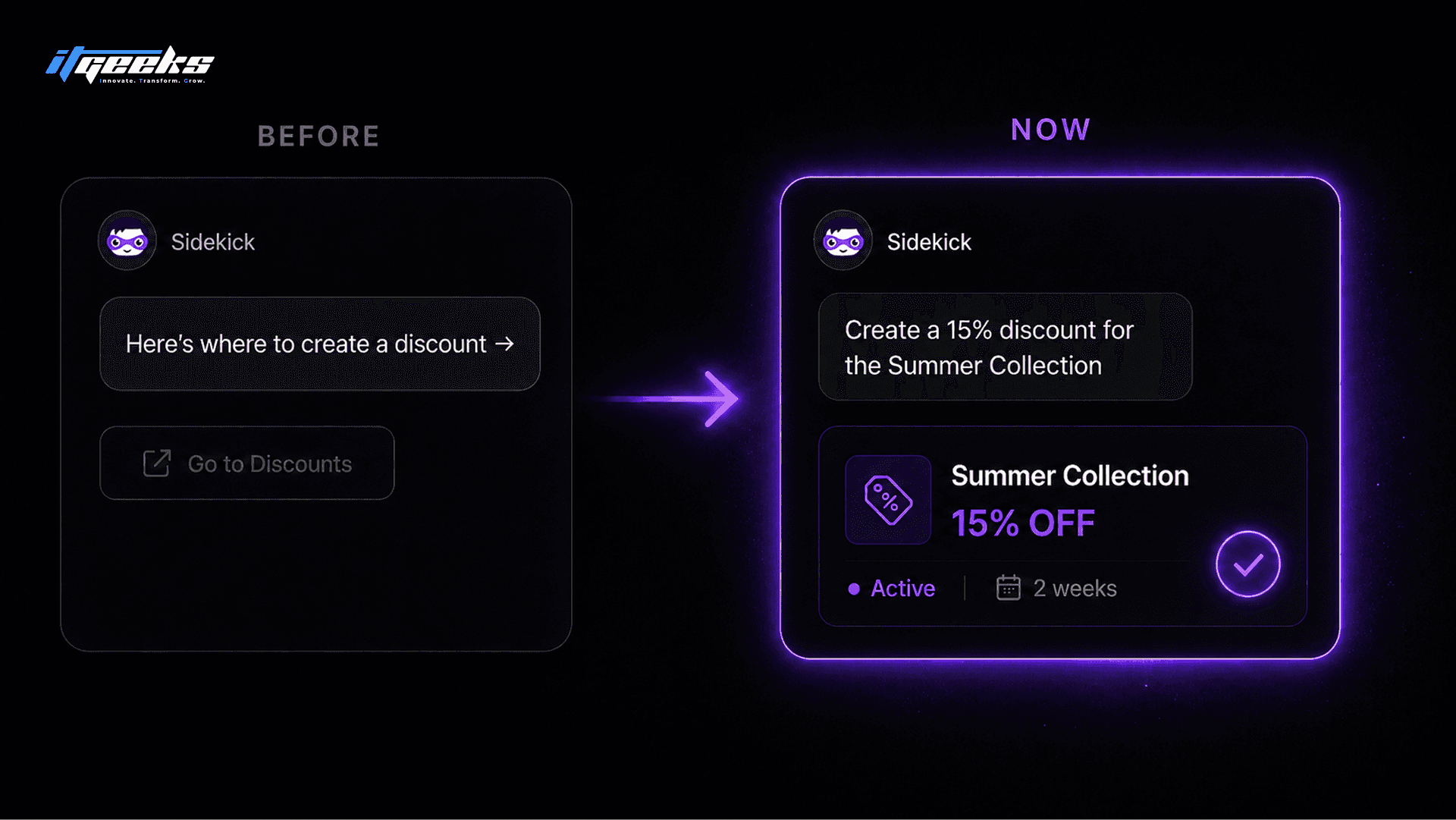
The new piece worth enabling is Sidekick Pulse, which works in the background and surfaces recommendations based on your store’s own data before you ask. Start by opening Sidekick from the admin and giving it a real task you would normally do by hand, such as building a discount or drafting a collection. Use it for the repetitive admin work first, where the time savings are obvious and the risk is low.
Workflow automation in plain language
Shopify Flow now builds automations from a plain-language description, which removes the main barrier that kept smaller teams from using it. You can type something like “when inventory drops below 10 units, send a Slack alert and tag the product,” and Sidekick builds the full workflow. Previously this needed someone comfortable wiring up triggers and conditions by hand.
This is worth using for any repetitive operational task you currently do manually: low-stock alerts, tagging high-value orders, or routing wholesale signups. Begin with one workflow that saves you a recurring chore, confirm it behaves as expected, then add more. Automating one real process is more valuable than mapping out ten you never finish.
Agentic Storefronts: getting found inside AI chat
Agentic Storefronts let your products appear directly inside AI assistants like ChatGPT, Perplexity, and Microsoft Copilot, where a growing share of product research now starts. You define once how your brand should be represented, and the AI handles the conversation with shoppers who are asking it for recommendations. This is the most forward-looking feature in the 2026 set, and it matters because buyers increasingly ask an AI before they ever reach a search engine or your homepage.
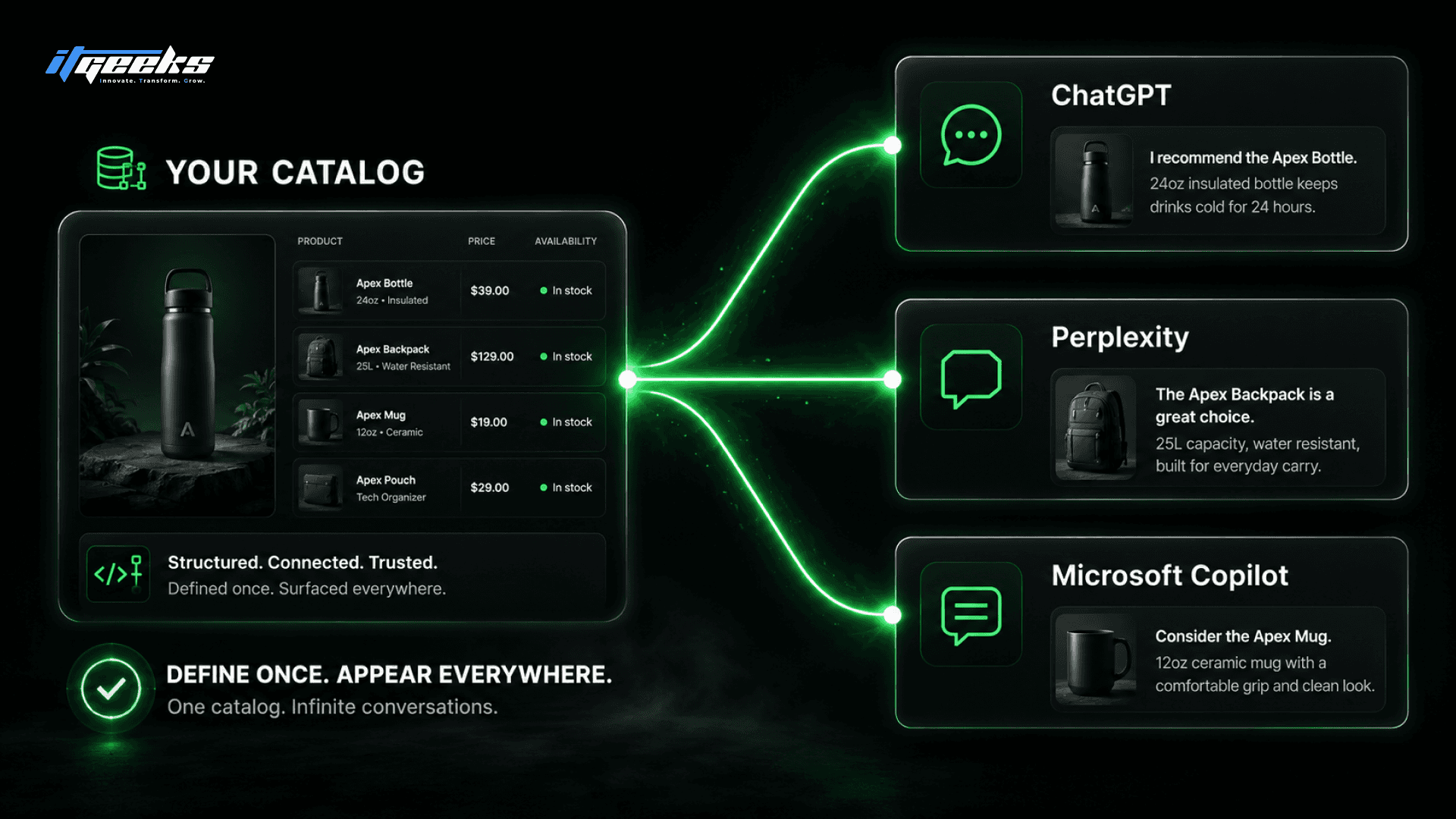
Set this up if your products are discoverable and your catalog data is clean, because the AI relies on accurate product information to represent you well. Treat it as a new channel rather than a gimmick: the brands that define their presence early will own the AI shelf before it gets crowded. This is the same answer-engine shift that makes structured, well-described product and content pages more valuable than ever.
The Horizon theme system and AI store builder
Horizon is Shopify’s current free theme system, and it lets you build and edit your storefront with AI instead of code. It introduced Theme Blocks, modular building blocks you arrange without touching code, and you can describe a section you want, such as a banner with text and animation, and have it generated for you. The AI store builder takes this further by generating a full starting storefront from a single prompt describing your brand.
This is worth adopting on any new build or redesign, and it is free to every merchant on the Shopify Theme Store. If you are on an older theme, plan the move deliberately rather than switching overnight, because theme migrations affect every page. For stores that want a custom result beyond what the builder produces, this is where a development partner earns its place, turning the AI starting point into a brand-specific store.
Native A/B testing
Shopify now includes native A/B testing, which removes the need for a paid third-party app to test page and content variants. You can test variations and let the data decide instead of guessing, using a tool that is built into the platform you already pay for. For most stores, this replaces a recurring app cost with a native feature.
Use it on the pages where a small lift compounds: your top collection, a key product page, or your homepage hero. Run one test at a time with a clear hypothesis, and give it enough traffic to reach a real conclusion before you call it. A single disciplined test beats a dashboard full of inconclusive ones.
Checkout Extensibility and the move off Scripts
Checkout customization in 2026 runs entirely on Checkout Extensibility, because Shopify retired the old checkout.liquid file for Plus stores in August 2025. Customizations now use checkout UI extensions, branding APIs, and Shopify Functions instead of editing a checkout template directly. If your store still relies on older checkout code, that approach no longer exists on Plus.
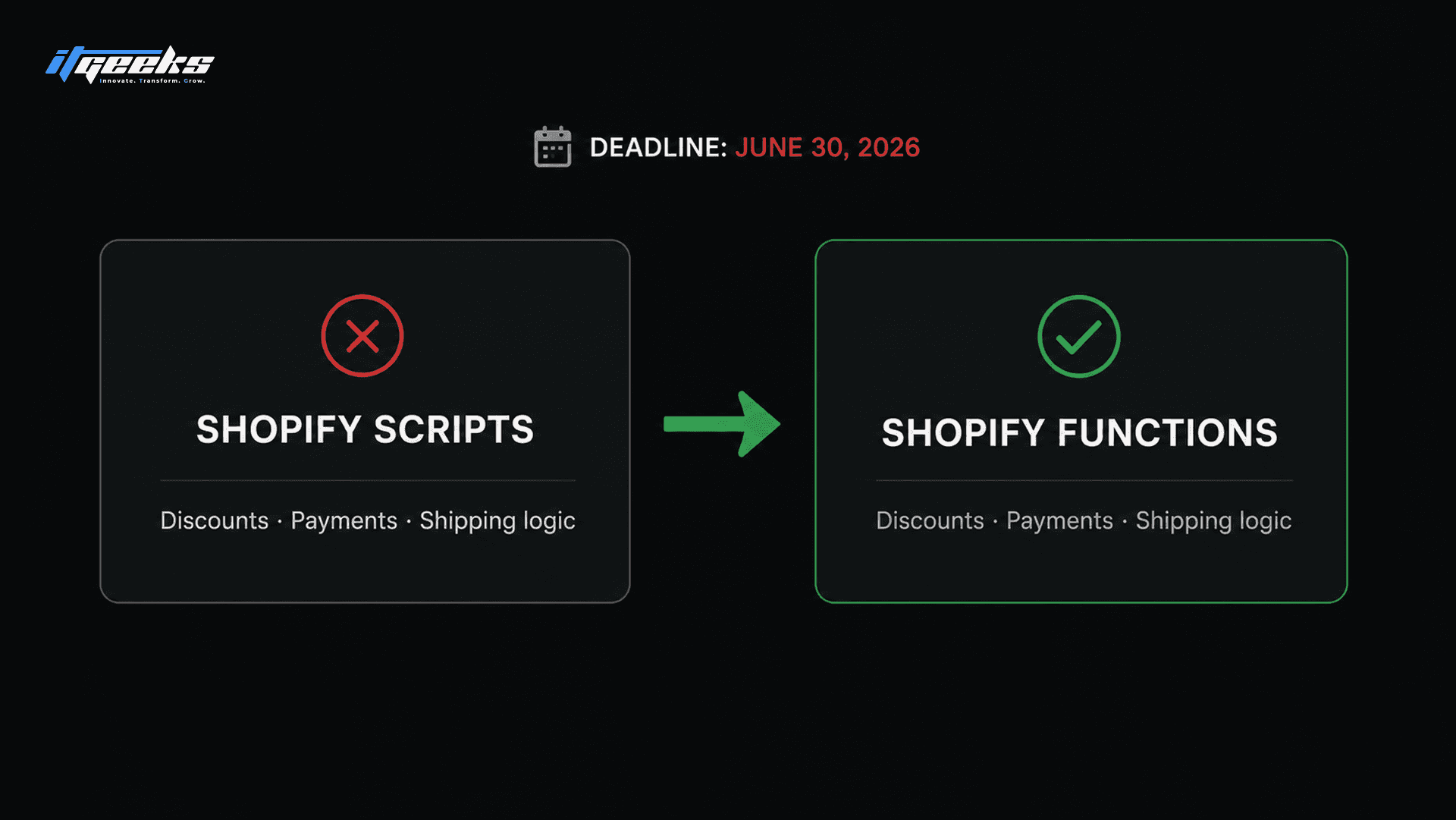
There is a hard deadline attached: Shopify Scripts stop working on June 30, 2026, so any discount, payment, or shipping logic running on Scripts must move to Functions now. This matters most for stores migrating or replatforming, where checkout logic gets rebuilt anyway, and it is one of the avoidable traps we cover in our guide to Shopify Plus migration mistakes. Audit what you run on Scripts and plan the move before the deadline rather than after.
Shopify Markets for global selling
Shopify Markets lets you sell internationally from one store, with localized currencies, languages, duties, and domains managed in one place. For a brand seeing overseas traffic that does not convert, this is often the highest-return feature to turn on, because it removes the friction that loses foreign buyers at checkout. You manage all of it from a single admin rather than running separate stores per region.
Enable it when you have real demand from a specific country, not speculatively for everywhere at once. Start with the one or two markets your analytics already show interest from, set local pricing and currency, and expand from there. A focused two-market setup converts better than a half-configured global one.
B2B on Shopify Plus
B2B on Shopify Plus has matured into a real wholesale platform, with company accounts, custom catalogs, per-customer pricing, and payment terms. For brands that sell both direct and wholesale, this removes the need for a separate B2B system bolted onto the store. It is a Shopify Plus feature, so it sits with the enterprise tier rather than standard plans.
Use it if wholesale is a meaningful part of your revenue or you are spending on a separate platform to handle it. Set up company profiles and price lists for your existing wholesale accounts first, then open self-serve ordering once the structure is proven. Consolidating DTC and B2B on one platform is where the operational savings show up.
The developer platform and headless
For stores with needs beyond what themes and apps cover, Shopify’s developer platform supports headless builds and exposes a Catalog API that feeds AI shopping agents. This is the path when you want a fully custom front end while keeping Shopify’s checkout and back office. It is also how you make your catalog available to the agentic commerce channels described above.
Headless is worth it only when a real requirement justifies the added complexity, such as a content-heavy experience or a custom frontend the theme system cannot deliver. It is not a default choice for most stores. We break down when it makes sense, and when it does not, in our explainer on Shopify headless ecommerce.
Which Shopify features should you prioritize?
Prioritize by your store’s stage, not by what sounds impressive, because the right first feature for a new store is the wrong one for an enterprise brand. Use the groupings below as a starting point.
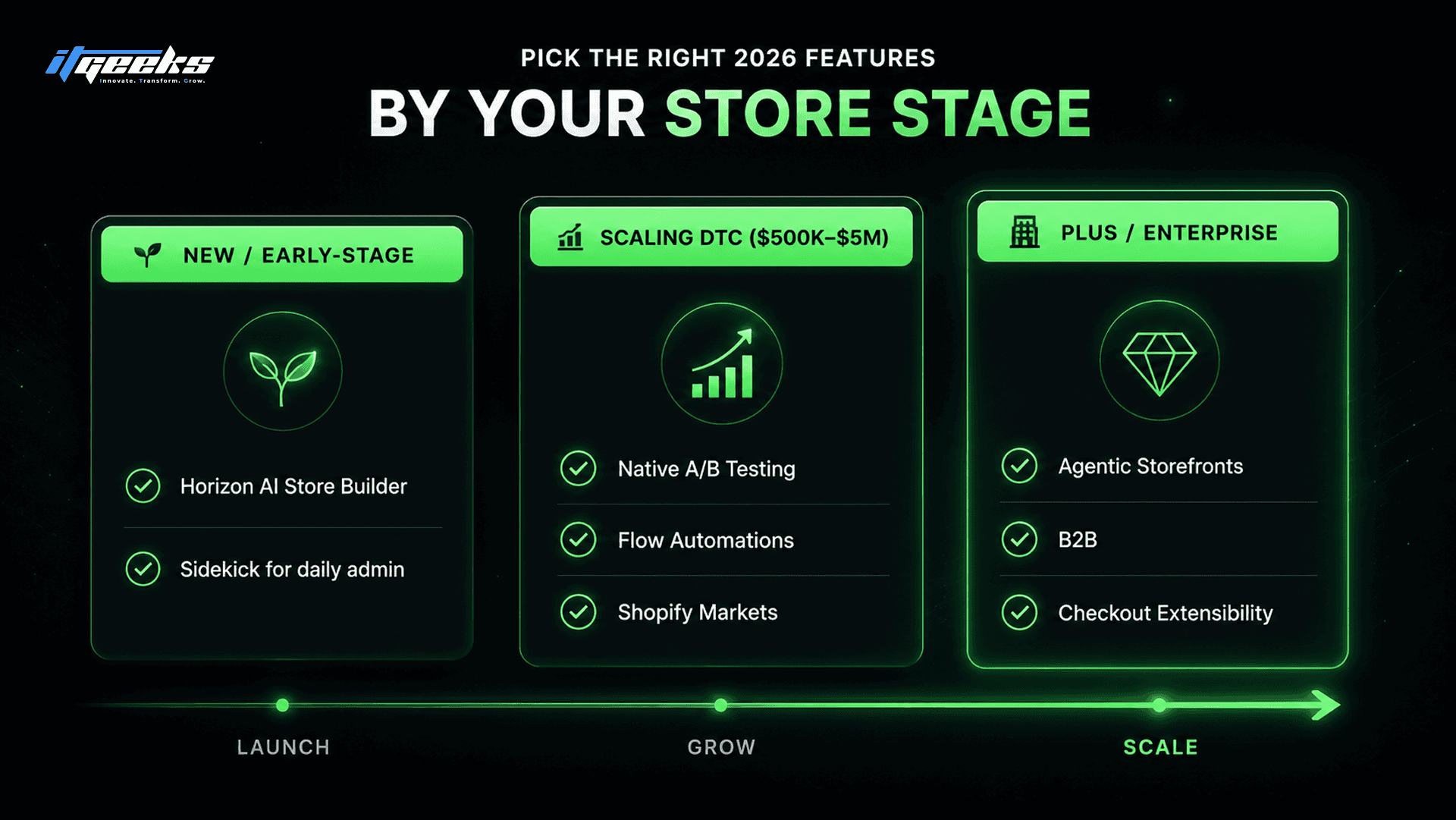
New or early-stage stores:Start with the Horizon AI store builder and Sidekick for daily admin. These get you a working store and save hours without adding cost or complexity.
Scaling DTC brands ($500K to $5M):Focus on native A/B testing, Flow automations, and Shopify Markets if you have international demand. These compound revenue and reclaim operational time.
Plus and enterprise brands:Prioritize Agentic Storefronts, B2B, and Checkout Extensibility, and confirm any Scripts logic is moved to Functions before the June 2026 deadline. These are where enterprise-scale value and risk both concentrate.
One planning note: some features are tied to Shopify Plus, including B2B and the deeper checkout and Functions customization. If a feature on your list is Plus-only and you are not on Plus, weigh that against the rest of the case for upgrading rather than treating it as the sole reason.
How IT Geeks helps you put these to work
The features are free or included, but getting real value from them is a configuration and strategy problem, not a button you press once. IT Geeks is a Shopify Platinum Partner, and we set up and customize these capabilities for merchants, from Horizon builds and Checkout Extensibility to Markets and B2B. If you want the new tools implemented properly rather than half-configured, our Shopify development team and custom solutions and integrations handle the build so the features actually earn their place.
Frequently asked questions
What are the newest Shopify features in 2026?
The newest Shopify features in 2026 come from the Winter 2026 RenAIssance Edition, which added over 150 updates centered on agentic AI. The headline additions are an upgraded Sidekick that executes multi-step tasks, Agentic Storefronts that put products inside AI chat platforms, native A/B testing, and continued B2B and checkout improvements.
What is Shopify Sidekick and how do I use it?
Sidekick is Shopify’s built-in AI assistant, and in 2026 it can carry out multi-step tasks like creating discounts or building Flow automations from a single plain-language prompt. You use it by opening it from the Shopify admin and describing a task you want done, starting with repetitive admin work where the time savings are clearest.
What are Agentic Storefronts?
Agentic Storefronts let your products appear and sell inside AI assistants such as ChatGPT, Perplexity, and Microsoft Copilot. You define how your brand is represented once, and the AI handles product conversations with shoppers, which matters as more buyers research purchases through AI before visiting a store.
Which new Shopify features are only available on Shopify Plus?
B2B, along with the deeper Checkout Extensibility and Shopify Functions customization, sits on the Shopify Plus tier rather than standard plans. Sidekick, Horizon themes, native A/B testing, and Shopify Markets are available to merchants on standard Shopify plans.
Do I need to update my theme to use the latest Shopify features?
Many features like Sidekick and A/B testing work regardless of theme, but the AI store-building and Theme Blocks capabilities require the Horizon theme system. If you are on an older theme, plan a deliberate move to Horizon rather than switching overnight, since a theme change affects every page on your store.
Getting the most from Shopify in 2026
The new Shopify features in 2026 reward merchants who choose deliberately and set them up properly, not those who try to adopt everything at once. Pick the two or three that match your store’s stage, turn them on with a clear goal, and measure the result before adding more. If you would rather have the AI tools, Horizon, and checkout features configured by people who do it every day, IT Geeks is a Shopify Platinum Partner and we are happy to walk through your store. Book a free consultation and we will map out which features are worth your time.

IT Geeks Team
Senior Brand Manager