

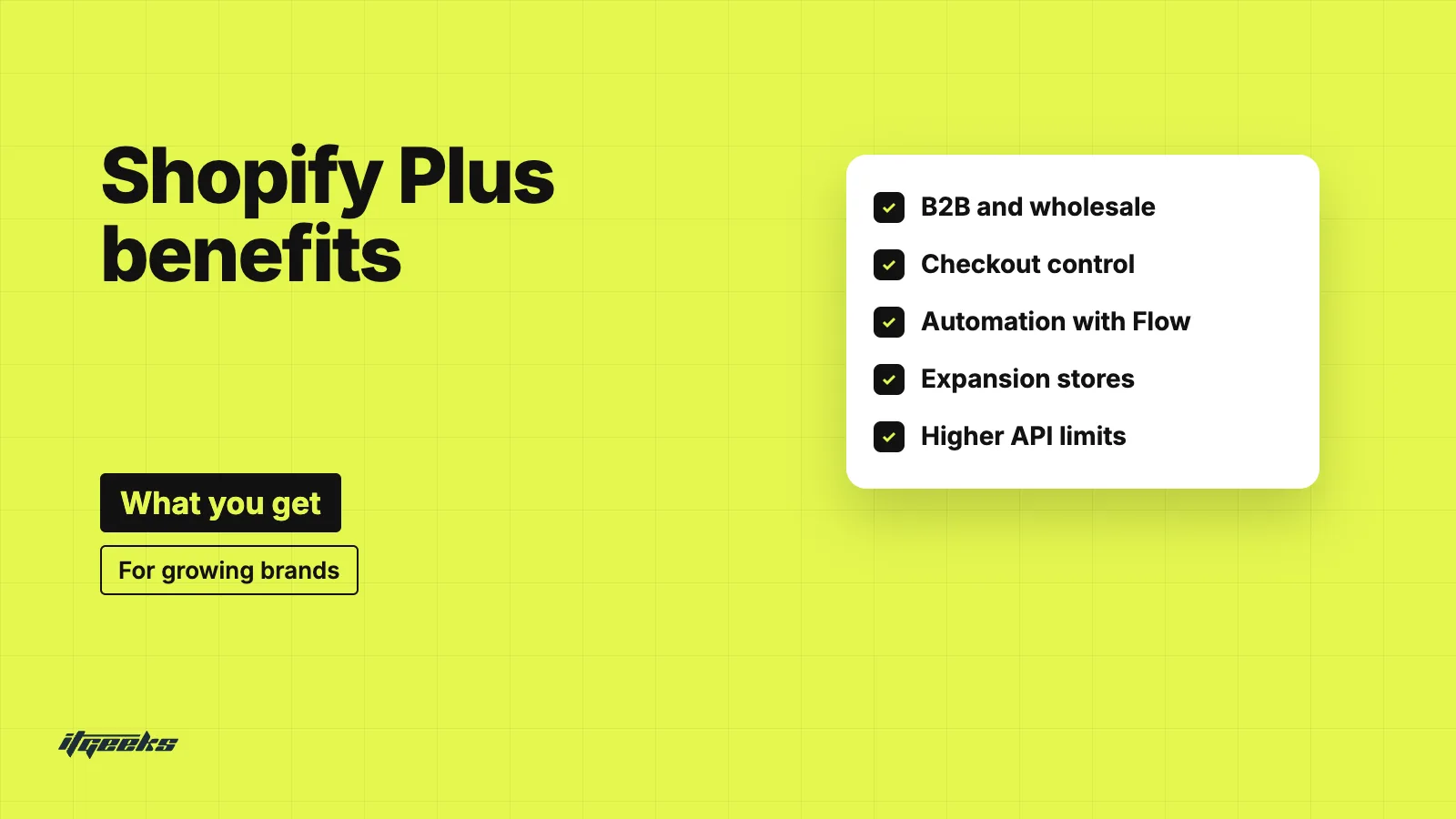
There's a specific moment most growing merchants recognize. The app stack has quietly grown to a dozen subscriptions just to patch together checkout rules, B2B pricing, and order automation that standard Shopify was never built to handle natively. Site traffic spikes around a launch or BFCM and the team spends the week watching dashboards instead of selling. A wholesale buyer asks for net-30 terms and a custom price list, and there's no clean way to say yes.
Shopify Plus exists for exactly that moment. It isn't a faster version of Shopify or a theme upgrade, it's a different tier of the platform, built for merchants who've outgrown what a standard plan can do natively. This guide breaks down what Plus actually includes, where the real gains are, and, just as importantly, where it won't move the needle, so the decision to upgrade is based on what's true rather than what a sales page implies.
What Shopify Plus Actually Is
Shopify Plus is Shopify's enterprise tier, sold on a 1- or 3-year subscription rather than month-to-month. Shopify's own pricing page lists a base platform fee rather than one flat number, and the published Plus pricing page is explicit that the total cost depends on the specific plan you negotiate: it does not publish a single global flat fee. What's consistently true is that Plus moved away from a pure flat monthly rate toward a model where larger merchants pay more as GMV grows, which is why every Plus quote is effectively custom.
Here's the honest caveat worth knowing before a sales call: the exact revenue-share percentage and the GMV level at which it kicks in aren't published anywhere on Shopify's own site. Third-party agencies cite different numbers, and they don't agree with each other. Treat any specific percentage you read online as a starting estimate, not a quote, and get the real number in writing from Shopify or your Plus partner before budgeting around it.
What is consistent is what you're paying for: a materially more capable platform underneath the same Shopify admin your team already knows, with no retraining required.
Capability | Standard Shopify | Shopify Plus |
Checkout customization | Fixed, limited to app-based tweaks | Custom UI extensions, branding, and Functions |
Automation (Flow) | Not included | Native, no extra app needed |
B2B company accounts & price lists | Requires a third-party app | Native |
Multi-store management | Separate logins and billing per store | Centralized via Shopify Plus Organization |
Third-party gateway fee | 0.5%-2% depending on plan | 0.2%, often negotiable further |
Contract term | Month-to-month | 1- or 3-year subscription |
Checkout You Can Actually Customize
On standard Shopify plans, the checkout is largely fixed. On Plus, Checkout Extensibility opens up custom UI extensions, branding controls, and Shopify Functions: small pieces of server-side logic that can rewrite how discounts, shipping options, or payment methods behave at checkout. A merchant running a tiered loyalty program, for example, can use a Function to automatically apply the right discount band based on a customer's order history, without a developer hand-coding checkout.liquid (which Shopify has since retired in favor of this extension model).
One nuance worth being precise about: Shopify Functions themselves are available more broadly than Plus alone. What's specifically gated to Plus is the ability to build and deploy custom checkout UI extensions and branding rather than relying on a public app from the Shopify App Store. If a customization request keeps coming back to "we need our checkout to do something non-standard," this is the layer that unlocks it.
Automation That Scales With Order Volume
Shopify Flow is Plus's built-in automation engine, and it's one of the least flashy, highest-ROI features in the tier. Flow can flag high-risk orders for manual review, hide or republish products automatically based on stock thresholds, tag VIP customers for special handling, and trigger loyalty rewards, all without a developer or a stack of Zapier-style integrations.
The value compounds with order volume. A team processing 50 orders a day can handle fraud review and inventory flags manually. A team processing 5,000 can't, and that's precisely the gap Flow is designed to close before it turns into headcount.
B2B Features Built Into the Platform
Shopify's native B2B functionality, company accounts, custom price lists per customer or location, configurable payment terms (net 30, net 60, due on fulfillment), and tax exemptions, ships as part of Plus, replacing what used to require a bolted-on wholesale app or a separate B2B platform entirely. If overlapping price lists exist for the same company, Shopify automatically applies the lowest price, which removes a common manual-pricing headache.
One correction worth making here, because it's repeated inaccurately across a lot of agency content: quantity rules (minimum order quantities, case-pack increments) are available on every Shopify plan, not just Plus. What Plus genuinely adds on the B2B side is the depth of company-account management and price-list architecture at scale, not quantity rules themselves.
Running Multiple Storefronts From One Back End
Plus merchants manage their stores through a Shopify Plus Organization: a structure that groups a main store with up to nine expansion stores (for different regions, brands, or sales channels) under centralized user and billing management. Staff permissions, including who can manage billing, are controlled at the organization level rather than per store, which matters once more than one or two people touch the admin.
Worth flagging honestly: centralized admin access is native to Plus, but real-time inventory syncing across those separate storefronts commonly still relies on Shopify's own inventory-transfer tools or a dedicated app, rather than happening automatically out of the box. If a multi-brand setup is the main driver for upgrading, confirm exactly how inventory will sync across stores before assuming it's automatic.
Performance During Traffic Spikes, With an Honest Caveat
Shopify's Plus platform page cites 99.99% average uptime across the platform. It's a genuinely strong number, and Shopify's own engineering team treats Black Friday/Cyber Monday as, in their words, "our World Cup," running repeated load tests at up to 150% of the prior year's peak traffic in the months leading up to it, according to Shopify's engineering blog.
Here's the part worth knowing before assuming Plus is a guarantee: that 99.99% figure is a platform-wide average, not a contractual SLA specific to Plus merchants. Shopify's own engineers have publicly acknowledged that even their internal 2025 scale-testing cycle triggered an unplanned failover during one test. Plus gives you a platform built and stress-tested for enterprise traffic, it doesn't hand you a signed uptime guarantee, and no vendor's marketing page should be read as one.
Lower Transaction Fees, More Payment Flexibility
On standard Shopify plans, using a payment gateway other than Shopify Payments triggers an additional transaction fee on top of normal card processing. It drops as you move up standard plans, but doesn't disappear. Shopify Plus's published pricing page lists a notably lower third-party gateway fee (0.2% on the current Plus pricing page), and larger merchants frequently negotiate further on both that fee and their card-processing rate as part of their Plus contract. If your business already clears a meaningful transaction volume, this is one of the more directly quantifiable line items in the ROI math, worth asking a Shopify Plus partner to model against your actual order volume rather than taking a published base rate at face value.
Support That's Built for Scale, But Not Identical for Everyone
Plus merchants get access to priority support channels and, for new Plus launches, onboarding specialists who help with the technical lift of getting live. This is a real and meaningful step up from standard-plan support.
The honest nuance: it's not uniform across every Plus account. Shopify restructured its Merchant Success Manager program so that dedicated, named support contacts are now weighted toward higher-GMV merchants, while smaller Plus accounts get access to a broader success team for escalations rather than one assigned person. If "a dedicated account manager" is the specific reason you're considering Plus, confirm what your account tier actually includes: a lot of competitor content online still describes this benefit as universal, and it currently isn't.
Selling Across Borders and Currencies
Shopify Markets Pro bundles FX hedging, an expanded set of local payment methods, and automated duty and tax classification into a single per-transaction fee, a meaningful simplification for any merchant selling into multiple countries. It's currently available to US-based merchants (continental US specifically; some US territories are excluded) and layers on top of Shopify's broader multi-currency and localization tools. For a brand actively expanding into new markets, this collapses what used to be several separate vendor relationships (currency hedging, local payment rails, customs compliance) into one.
Signs You've Actually Outgrown Standard Shopify
There's no official revenue number where Shopify says "upgrade now," and most of the specific thresholds floating around agency blogs aren't sourced to anything Shopify has published. What the evidence does support is a symptom-based read, consistent across independent Shopify Plus guides:
- Checkout limitations are costing real conversions, not just causing minor annoyance
- API or integration rate limits are becoming a bottleneck for ERP, CRM, or warehouse connections
- Site performance noticeably degrades as traffic and order volume climb
- The app stack has grown into a workaround for features Plus would include natively
- You're running (or planning) multiple brands or regional storefronts that need centralized management
- Staff time is increasingly consumed by manual, repetitive order or inventory tasks that automation could absorb
The pattern matters more than any single symptom. One of these alone might just mean a theme fix or a better app. Several at once, compounding month over month, is the real signal.
A useful gut check: pull the app list and tally what's being spent monthly on tools that exist purely to patch gaps Plus would close natively, a wholesale/B2B app, a workflow automation tool, a checkout customization app, a multi-store sync tool. For a lot of growing merchants, that stack alone already costs more than a meaningful share of the Plus platform fee, before counting the developer hours spent keeping those integrations working together.
What Shopify Plus Won't Fix
This is the section most "why you need Plus" content skips, and it's worth saying plainly: Plus is a platform upgrade, not a design fix. A homepage that loads slowly or a conversion rate that's underperforming is very often a theme, UX, or site-structure problem, not something a platform migration resolves on its own. Agencies in this space have documented cases where a purely visual redesign on Plus actually made page speed worse, not better, because the underlying performance issue was never addressed.
The same logic applies to checkout: Shopify's own default checkout is heavily researched and conversion-tested. Custom checkout extensions are a genuine advantage when you have a specific business requirement they solve (tiered B2B discounts, a loyalty integration, a non-standard shipping rule), but customizing checkout for its own sake isn't automatically an improvement over Shopify's tested default.
Is Shopify Plus Actually Worth It? What the Numbers Show
Shopify's own published case studies give a useful, if self-reported, read on what the upgrade has delivered for merchants who made the jump. Appliance brand Swan, for instance, reports a 97% revenue increase, a 53% increase in returning-customer rate, and a 12% conversion lift after migrating to Shopify Plus from Adobe Commerce, per Shopify's own case study, though the page doesn't attach a specific timeframe to those figures, and they reflect a full platform migration, not Plus features in isolation.
That last point is worth sitting with: most of the dramatic growth numbers attached to Shopify Plus, including Swan's, come from businesses that migrated their entire storefront, not from toggling on a single Plus feature. The upgrade pays off when it's paired with the work of actually building (or rebuilding) the store to use what Plus unlocks, not from the subscription tier alone.
Frequently Asked Questions
How much does Shopify Plus actually cost?
Shopify's own Plus pricing page lists a base platform fee rather than one fixed global rate, sold on a 1- or 3-year contract. The exact revenue-share terms above that base fee aren't published, and third-party estimates vary, so treat any number you see on an agency blog as a starting point, and get a written quote before budgeting.
Does every Shopify Plus merchant get a dedicated account manager?
No. This is one of the more common outdated claims in Plus marketing content. Shopify restructured its Merchant Success Manager program so named, dedicated contacts are now weighted toward higher-GMV accounts, while smaller Plus merchants get access to a broader success team for escalations rather than one assigned person.
Can I get B2B features without upgrading to Plus?
Partially. Quantity rules (minimum order sizes, case-pack increments) are available on every Shopify plan. What's genuinely Plus-specific is the depth of native B2B infrastructure: company accounts, layered price lists, and configurable payment terms, without relying on a separate wholesale app.
Will migrating to Shopify Plus fix my site's performance or conversion rate?
Not by itself. Performance and conversion issues are usually theme, UX, or site-structure problems, and a platform migration doesn't automatically resolve them. In some documented cases, a redesign done during migration has made load times worse, not better. Plus is worth the move when a specific platform limitation (checkout, B2B, automation, multi-store) is the actual bottleneck.
Conclusion: Making the Move, Done Right
Shopify Plus earns its keep when the friction is real: a checkout that can't do what the business needs, B2B operations that don't fit a retail-first platform, or order volume that's outpacing what manual processes and a standard plan can handle. It doesn't fix a weak design or a slow theme, and it isn't a guarantee of anything it doesn't put in writing. Go in with that distinction clear, and the upgrade decision gets a lot easier to make well.
That's the part ITGeeks gets involved in directly. As a Shopify Plus Platinum Partner, the team has built Plus stores from the ground up and, just as often, handled the harder problem: moving an established store onto Plus from somewhere else entirely. That includes Magento and Adobe Commerce, Salesforce Commerce Cloud, NetSuite SuiteCommerce, and BigCommerce, each with its own data, SEO, and integration considerations that a straight lift-and-shift tends to miss.
The firsthand case studies, including a BigCommerce-to-Plus replatform for Janisource that preserved full B2B feature parity, are a reasonable place to see what that actually looks like in practice, beyond a vendor's own self-reported numbers.
If you're already on Shopify and weighing whether the friction points above justify the jump, or you're on a different platform entirely and want a clear-eyed read on what migrating would actually involve, get in touch with ITGeeks for a plan built around your specific setup rather than a generic upgrade pitch.